Showing posts with label remote pc access. Show all posts

Thursday, January 6, 2011

Access Pc Software Remote Pc Access

Two years ago, a citizen of White Plains, New York assumed form of a victim to laptop theft. It was reported that he left his laptop on top of his car, prompting its theft. Work articles, pictures, web site access and other important information, gone in one day.

Remote Access Software
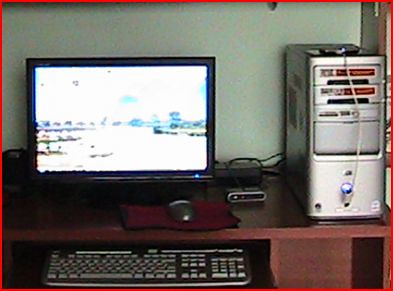

Computer by tonynetone


Usually, the case would have been to account the criminal offense to the police and begin over by using a fresh laptop. But this gentleman's case will end up being certainly one of a kind. With patience, perseverance, and a proper option made before the laptop computer was stolen, he received it back. That choice was to utilize technology called remote control PC Access Software. He used the knowledge inputted by the laptop computer thief that the laptop proprietor acquired employing only this software, and he was able to monitor the criminal and get back what was rightfully his with the help of the hometown police.


Most businesses use various sort of loss prevention, or LP, team to conduct a selection of distinctive tasks. In retail stores, these teams or departments typically concentrate on catching shoplifters or employee's stealing merchandise or time from the store. In more pro workplaces or workplace buildings, LP groups work in a different way all together.


I am certain that you are able to begin to see the potential if your an workplace employee who has to commute a lot. Since net connections are essentially with out limits these days, it allows you to entry your work computer from anyplace internationally and at any time you prefer with out disrupting anything in your network.

If its flexibility you're looking for then this is a scrap of software programs well value investing in. Should you are a company owner, then remote control PC access software programs can rework your business and provides you and your employees total freedom and a a lot improved and really powerful ways to work together and collaborate.

Discover more about access pc software here.
Elin Rehrig is your Access Pc Software specialist who also discloses strategies research paper writing software,research paper writing software,discount computer memory on their web resource.

Thursday, December 9, 2010

The Safest Utilization Of Remote PC Access Software Programs

If you want to get into your files from a computer far away from your own, remote PC access can let you do so. And if you're having trouble with your computer, remote access software can allow technicians entry to your system from another location. But there are potential issues with having this kind of software installed on your machine, too.

Basically, remote access programs allow you to enter your computer's files and software from another physical location. This includes things like modifying and reading files, playing media, and adding and deleting software-- almost anything that you can do when sitting in front of your computer. There are controls that can be placed on the software, however, which allow you to access only certain components remotely. Windows computers have come with built-in remote access software since Windows 2000 and XP came out. The current Windows 7 OS has a remote access program that specifically allows you to play media from your home computer on any other computer, a feature which has been popular. The earlier versions have been criticized and characterized as hard to use and not as good as some other, both free and paid programs.

Remote access software has multiple uses. One use is the ability of remote access to set up a home or office computer with a centralized database of information, from which multiple people can work. This allows an office, company, or other group of people who are physically spread out in location, to work on the same plans, files, and software.

Being able to allow technicians to access your system remotely and figure out the problem for you can also be a great reliever of headaches and wallet-aches. The price for a remote consult is often much less than that of a hands-on diagnosis, and can be just as accurate. This also allows online and phone technical service to figure out the problem without the tedious process of relaying instructions and information back and forth.

Remote access software is usually created to work best with a particular operating system, such as Windows, Mac, or Linux. Sometimes these programs are later adapted to run on other systems. Do some research before choosing your remote access software, so that you can make sure your choice usually works well with your OS.

Unfortunately, remote access software can create huge security holes in your machine. Installing the software necessarily opens the machine to some outside invasions, and they might not all be desirable ones. Sometimes viruses and bugs can slip in through the cracks the remote access software left. To reduce problems, always back up your entire computer right before installing the software, and consider wiping and restoring your machine if you later remove it.

The good parts and the bad parts of remote PC access software make the decision easy for some people, but most will have to think about it for a while. If you truly need the functions of remote access, the risks may be worth taking. If you can do without, then you might find more peace of mind by not using it. If you do install or run any kind of remote access software, make sure to keep your antivirus software updated.